
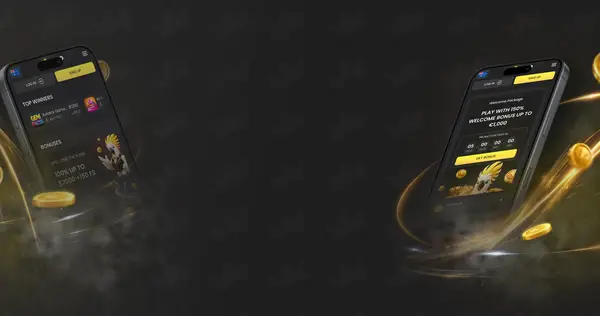




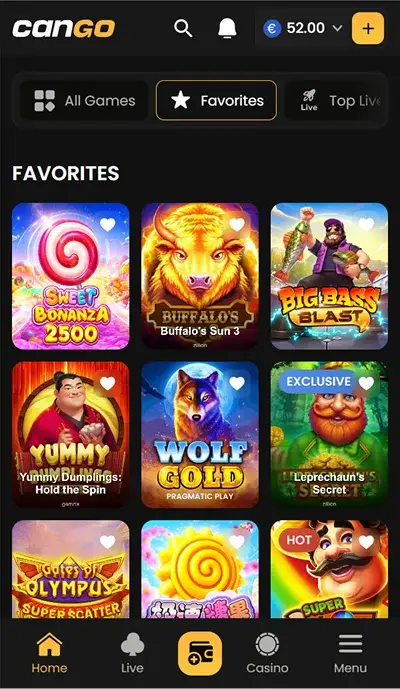
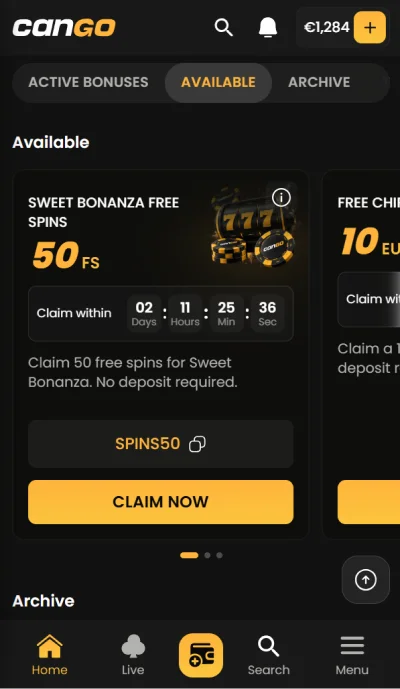



I installed Cango on my iPhone during the same week as my WP1 spins and USDT cash-out. It was a browser installation through Safari, not an App Store download. The home screen entry gave me another way into the same AUD account, rather than a separate mobile balance.
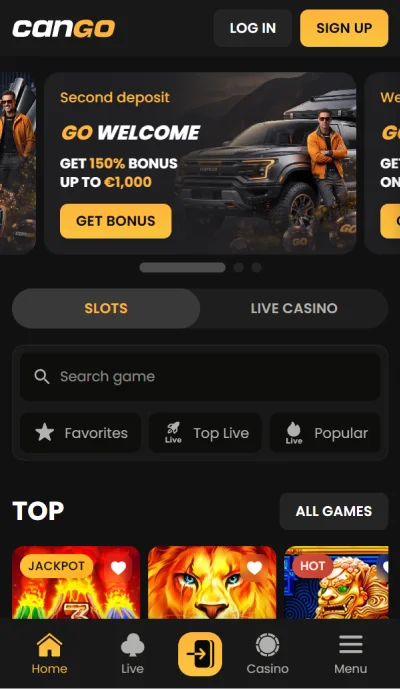
The small storage claim caught my eye because the install card said Under 1 MB and listed 0.9 MB. Once I opened it, the familiar near-black panels and yellow controls mattered more than the size label. Home, Casino, Live, Deposit and Menu sat in the bottom navigation, keeping the main parts of my week close together.
Under 1 MB
Cango’s install wording describes a PWA, a browser-installed app, rather than a download from Apple’s or Google’s store. The card says Under 1 MB and gives storage as 0.9 MB. It also uses the phrase opens instantly. I kept those product labels separate from a timed speed test: I installed it on my iPhone, but did not produce a set of launch measurements.
The small install is not a separate catalogue with a different account balance. Cango’s install card uses 3 500+ games, while the About page says over 3,000 games. Those are the site’s two catalogue descriptions, not a claim that installing the PWA creates extra games. My phone entry led back to the casino I had already used in the browser.
The no store account wording was the practical detail for me. There was no store listing to search for and no second casino registration. The installation started from the browser I already had open. The logo and dark interface then gave the home screen entry a recognisable destination rather than a new product identity.
iPhone installation
My installation used Safari’s Share menu and Add to Home Screen. That is the iPhone route supplied by Cango, and it was the one I actually used. The site calls the install two taps; the important product distinction is that those controls belong to Safari and the phone’s home screen, not an App Store listing with a separate download button.
- Open Cango in Safari on the iPhone.
- Open Safari’s Share menu.
- Choose Add to Home Screen and complete the phone’s prompt.
- Open the new home screen entry to return to Cango.
After installation I still had the AUD account I had opened at sign-up. My A$45 first deposit and A$67.50 WP1 bonus were not duplicated into an app-only wallet. The same applied to the later USDT activity. That continuity made the home screen shortcut useful during the three-day spin schedule, because I was returning to an existing account rather than claiming another welcome package.
Android installation
Android uses Chrome’s menu rather than Safari’s Share sheet. The available wording is Add to Home screen or Install app. Both labels refer to the browser installation route in this product description. There is no Google Play app to fetch instead, so the browser is the starting point on Android just as Safari was the starting point on my iPhone.
- Open Cango in Chrome on Android.
- Open the Chrome menu marked with three dots.
- Choose Add to Home screen or Install app.
- Complete the phone’s prompt and open Cango from the home screen.
Nothing in that route changes the account rules or the chosen currency. An AUD account remains AUD and a Canadian CAD account remains CAD. The app also does not create a second login identity. I found that a more useful distinction than treating iOS and Android as two separate casino offers, especially when the welcome spins were already tied to my original deposit.
Install QR code
The desktop install page includes a QR code. That gives a player who is already looking at Cango on a larger screen a route to the phone installation page. It does not turn the desktop browser into an App Store or Google Play download. The final phone steps are still Safari’s Add to Home Screen or Chrome’s corresponding install option.
The QR code also belongs to installation, not to a crypto payment. The cashier has its own QR or address route for crypto deposits, which I used as part of a different account task. Keeping those uses separate mattered during my week: the cashier handled the money, while the install page handled the home screen entry.
| Screen | Purpose |
|---|---|
| Desktop install QR | Open the phone installation route |
| Safari Share menu | Add Cango to an iPhone home screen |
| Chrome menu | Install on Android |
| Cashier crypto QR | Send a crypto deposit rather than install the app |
Push alerts
The PWA supports push alerts for free spins, tournament starts and cashback. Those are the named notification subjects. The free spin alert fits the sort of account activity I had across three days, but it is not a promise that every notification carries a new batch of 300 spins. My WP1 schedule remained 100 spins per day on the three assigned games.
Cashback has its own weekly rhythm: 10% of net losses from Monday to Sunday, credited on Mondays with x3 wagering. The cashback screen says it is calculated at period end and claimed on the card, with unclaimed cashback expiring. A phone alert is therefore distinct from the cashback card itself. The fuller offer details remain on the bonus page.
- Free spin alerts for the named notification category.
- Tournament start alerts for events in the casino.
- Cashback alerts alongside the account’s cashback card.
The useful part was opening the same account from my home screen. I did not need a second balance or a second set of welcome spins.
Bottom navigation
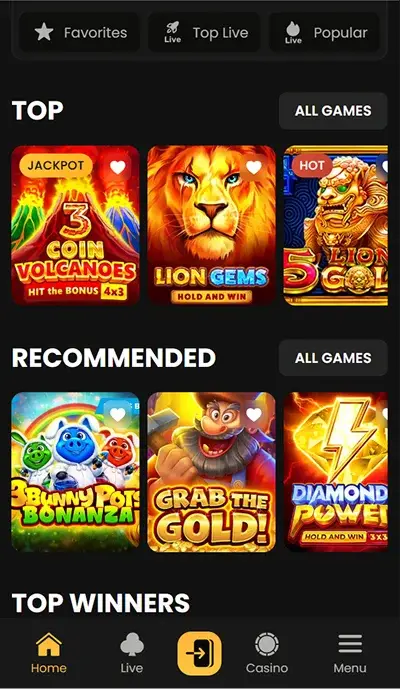
Home, Casino, Live, Deposit and Menu make up the bottom navigation. The labels are plain enough to separate a return to the lobby from a visit to the cashier. Live is a direct destination rather than a slot collection, while Menu holds the broader account route. The near-black background and yellow-orange accent keep the phone view visually connected to the desktop site.
| Feature | Website | PWA |
|---|---|---|
| Account | Existing Cango account | Same account |
| Balance | Account balance | Same balance |
| Game destinations | Slots and live casino | Casino and Live navigation |
| Deposits | Cashier route | Deposit in bottom navigation |
| Access | Browser page | Home screen entry after browser installation |
I used the live casino for small-stakes blackjack during the week, separate from the daily slot batches. The phone navigation gave those activities their own labels without changing what I had done in either session. There was no app-only result to report and no extra bonus attached simply to adding the icon to my iPhone home screen.
The second deposit was A$60 in USDT, and the later A$180 withdrawal spent the night pending before arriving within the hour after approval. Installing the app did not remove those payment stages. The benefit I can describe is access to the same account, with its existing balance and status, from a familiar home screen entry instead of another store download.
Pros
- Browser installation without an App Store or Google Play account.
- Same account and balance as the site.
- Dedicated Live and Deposit items in the bottom navigation.
- Push alerts for spins, tournaments and cashback.
Cons
- No native App Store or Google Play version.
- iPhone and Android use different browser install menus.
- Installation does not shorten withdrawal pending or KYC stages.
What players say about Cango
Discussion
Anyone using the Cango home screen install?
4 comments
montreal_mobile · 9 days ago
On iPhone I used Safari, Share, Add to Home Screen. Same account and balance as the site, which is what I wanted.
toowoomba_taps · 12 days ago
It is a PWA, not a store download. Chrome had the install option on my Android.
guelph_games · 15 days ago
Bottom menu has Home, Casino, Live, Deposit and Menu. Handy for jumping back to slots on a small screen.
launceston_lowstakes · 18 days ago
The cashback and spins alerts are not my favourite part. Having Cango on the home screen is convenient though.
Ratings from players
★★★★★
I added Cango through Safari on my Canadian phone. There is no separate store app to hunt down. My existing balance was there when I signed in.
★★★★★
The Android browser install was straightforward. I use the bottom navigation more than the home screen itself. It suits a short A$30 session.
★★★★★
The PWA saves me typing the address on my phone in Canada. It is still the same account, not a new signup. I could do without prompts about more spins.
Questions about Cango
Is there a Cango app in the App Store?
No. Cango offers a PWA installed from the browser, not an App Store or Google Play app. I used Safari on my iPhone, opened Share and chose Add to Home Screen. The resulting home screen entry opened the same casino account. Cango describes this as installation in two taps with no store account, which distinguishes it from searching for a native download in a phone’s app marketplace.
What does Under 1 MB mean?
The install card uses Under 1 MB and lists storage as 0.9 MB. That is the stated size for the browser-installed PWA. I have not treated it as a measurement of all the data used by slots or live tables, or as a promise about every phone’s launch speed. The same card’s opens instantly wording is a product label rather than a set of timings from my own tests.
How is the Android app installed?
The supplied Android route starts in Chrome. Open the three-dot menu and choose Add to Home screen or Install app, then complete the phone’s prompt. There is no Google Play version to download instead. I personally installed on an iPhone, so the Android sequence describes Cango’s supported route rather than a second handset test. Both platforms use the same casino account and balance after installation.
Will the app have a separate balance?
No. The PWA uses the same account and balance as the website. My AUD account remained the account I had opened at registration, including its original deposits and welcome activity. Installing the home screen entry did not produce another WP1 offer or another wallet. Account currency also remains fixed after sign-up, so adding the app does not provide a way to change AUD into another account currency.
Which notifications does the PWA support?
The named push alert categories are free spins, tournament starts and cashback. Those alerts are separate from the conditions of an offer or the claim action on a cashback card. For example, weekly cashback is calculated over Monday to Sunday and credited on Mondays, with x3 wagering. The welcome spins still follow their own three-day schedule. Installing the app does not replace those schedules with a new notification-only promotion.
What is the desktop QR code for?
The QR code on the install page provides a route from a desktop visit to phone installation. The final install action still takes place through Safari on iPhone or Chrome on Android. This is separate from a crypto deposit QR in the cashier, which is for a payment. I kept those two uses distinct during my week because my USDT deposit and my iPhone installation were different account tasks.

Frank Op de Woerd
Frank has written about online casinos since 2014. For this site he opened an AUD account at Cango, played the WP1 spins over three evenings, joined the VIP queue and cashed out in USDT.
Updated: · Facts current on